
- Posts: 388
- Thank you received: 0
Designing TAY t-shirt graphics
- Charles
-
 Topic Author
- User
-

Less
More
19 years 11 months ago - 19 years 10 months ago #175962
by Charles
Designing TAY t-shirt graphics was created by Charles
Here is the basic info needed for creating t-shirt designs for zazzle.com. The TAY t-shirt discussion is
here
.
The maximum printable area for a zazzle t-shirt is 14" wide by 12" high at a resolution of 150 dpi (same as 150 ppi). This means that the maximum pixel dimensions of the graphic are 2100 pixels wide by 1800 pixels high. This gives a "landscape" or horizontal orientation; for "portrait" or vertical orientation just swap dimensions (ie. 1800 pixels wide by 2100 pixels high).
The final graphic will need to be either in JPEG or PNG format. It is usually best to do your designing in a non-compressed file format (eg. PSD,TIF) and then run off a copy as a JPEG or PNG when you have finished. JPEG format loses information in compression, so a minimum of compression (maximum quality) should be used for this format, and you should definitely not keep saving over and over as a JPEG. PNG is lossless and is the best choice for maintaining higest quality.
The graphic should be done in RGB mode.
Here's my suggestion for getting started. In either an image editing program (such as Photoshop or GIMP) or a vector drawing program (such as Illustrator) create a new document that is 2100px by 1800px and 150dpi. This will give you the maximum working area for your design. Make the starting background white.
As you create your design, keep in mind that, unless you want to get fancy, all areas of your design that are white will be treated as transparent for the printing process. This means that on the shirt all white areas of your design will actually be the color of the shirt, because there will be no printing in the white areas. If you want people to be able to choose a non-white color for their shirt, you can try out different backgrounds in your design (your program probably needs to have "layers" for this). To see what colors of shirt are available, check this zazzle example (you can click on different shirt colors to see how the design looks on each). Please note that zazzle has special guidelines for designing for "dark" shirt colors .
For text to go in your graphic, you can add it into your graphic using the fonts available on your computer, or it can be added at zazzle using their fonts (though you won't be able to do fancier stuff like curvy text).
Feel free to post a (scaled-down) version of your design in this thead - normal three image limit is suspended for this thread. To get your design up on zazzle so that proceeds go to TAY, you will need to send me the graphic so that I can upload it to zazzle - contact me by PM if needed.
I'm looking forward to seeing what all of you creative people come up with!
Guideline summary:
1) 2100 px by 1800 px at 150 dpi
2) RGB mode
3) PNG or JPEG format for the final file that will be uploaded to zazzle
4) PNG is the best choice for highest quality
5) If JPEG, use minimum compression (maximum quality)
6) White areas in the design will act transparent and not be printed on the shirt
7) More details at zazzle's design guidelines
 Contact me by TAY personal message with questions or when design is ready to be uploaded to zazzle.
The maximum printable area for a zazzle t-shirt is 14" wide by 12" high at a resolution of 150 dpi (same as 150 ppi). This means that the maximum pixel dimensions of the graphic are 2100 pixels wide by 1800 pixels high. This gives a "landscape" or horizontal orientation; for "portrait" or vertical orientation just swap dimensions (ie. 1800 pixels wide by 2100 pixels high).
The final graphic will need to be either in JPEG or PNG format. It is usually best to do your designing in a non-compressed file format (eg. PSD,TIF) and then run off a copy as a JPEG or PNG when you have finished. JPEG format loses information in compression, so a minimum of compression (maximum quality) should be used for this format, and you should definitely not keep saving over and over as a JPEG. PNG is lossless and is the best choice for maintaining higest quality.
The graphic should be done in RGB mode.
Here's my suggestion for getting started. In either an image editing program (such as Photoshop or GIMP) or a vector drawing program (such as Illustrator) create a new document that is 2100px by 1800px and 150dpi. This will give you the maximum working area for your design. Make the starting background white.
As you create your design, keep in mind that, unless you want to get fancy, all areas of your design that are white will be treated as transparent for the printing process. This means that on the shirt all white areas of your design will actually be the color of the shirt, because there will be no printing in the white areas. If you want people to be able to choose a non-white color for their shirt, you can try out different backgrounds in your design (your program probably needs to have "layers" for this). To see what colors of shirt are available, check this zazzle example (you can click on different shirt colors to see how the design looks on each). Please note that zazzle has special guidelines for designing for "dark" shirt colors .
For text to go in your graphic, you can add it into your graphic using the fonts available on your computer, or it can be added at zazzle using their fonts (though you won't be able to do fancier stuff like curvy text).
Feel free to post a (scaled-down) version of your design in this thead - normal three image limit is suspended for this thread. To get your design up on zazzle so that proceeds go to TAY, you will need to send me the graphic so that I can upload it to zazzle - contact me by PM if needed.
I'm looking forward to seeing what all of you creative people come up with!
Guideline summary:
1) 2100 px by 1800 px at 150 dpi
2) RGB mode
3) PNG or JPEG format for the final file that will be uploaded to zazzle
4) PNG is the best choice for highest quality
5) If JPEG, use minimum compression (maximum quality)
6) White areas in the design will act transparent and not be printed on the shirt
7) More details at zazzle's design guidelines
Contact me by TAY personal message with questions or when design is ready to be uploaded to zazzle. Please Log in or Create an account to join the conversation.
- Charles
-
Topic Author
- User
-
Less
More
- Posts: 388
- Thank you received: 0
19 years 11 months ago - 19 years 11 months ago #175966
by Charles
Replied by Charles on topic Re: Designing TAY t-shirt graphics
OK, here are the three variations that I've made, as seen in zazzle view. Shirt colors will be selectable, these are only serving suggestions. I haven't yet made links to the actual shirt pages.
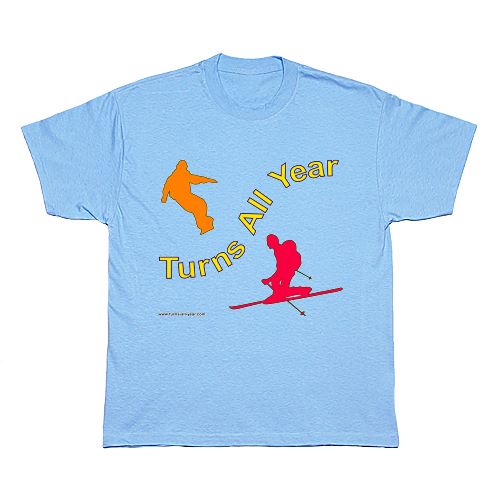
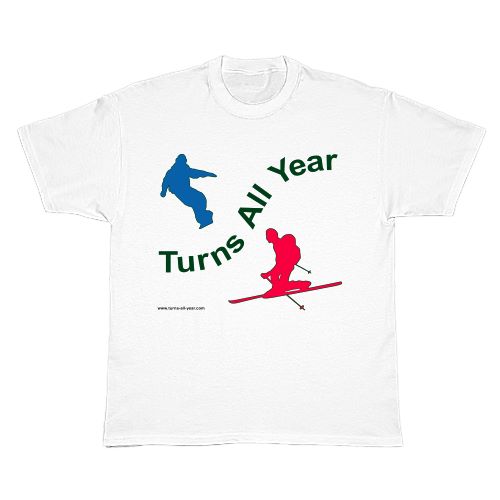
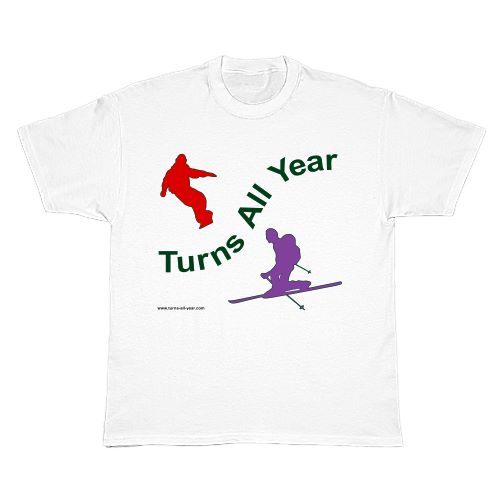
Please Log in or Create an account to join the conversation.
- hyak.net
-
- User
-
Less
More
- Posts: 601
- Thank you received: 0
19 years 11 months ago #175969
by hyak.net
Replied by hyak.net on topic Re: Designing TAY t-shirt graphics
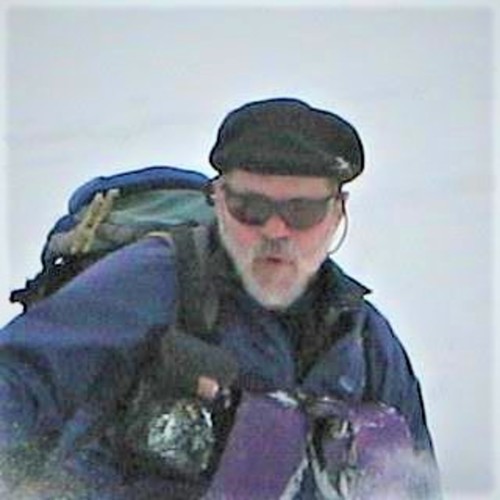
I just thought I'd toss a 'work in progress' out to see what you all thought..... LMK, good-bad-ugly-whatever..... Remember, this is just a test, not a finished product.

Please Log in or Create an account to join the conversation.
- ron j
-
- User
-
Less
More
- Posts: 1091
- Thank you received: 0
19 years 11 months ago #175970
by ron j
Replied by ron j on topic Re: Designing TAY t-shirt graphics
Cool, Jack.
Kind of a "Snowshoe Thompson - The Mail (or in this case, turns) Must Go Through" concept.
I Like it.
Kind of a "Snowshoe Thompson - The Mail (or in this case, turns) Must Go Through" concept.
I Like it.
Please Log in or Create an account to join the conversation.
- Jeff Huber
-
- User
-
Less
More
- Posts: 371
- Thank you received: 0
19 years 11 months ago #175971
by Jeff Huber
Replied by Jeff Huber on topic Re: Designing TAY t-shirt graphics
Hi Charles - Those shirts look great. I like the colors a lot. But, is there an easy way that lower skier could be modified so he/she is making a parallel turn?
That’d be great! Thanks!
Jeff
That’d be great! Thanks!
Jeff
Please Log in or Create an account to join the conversation.
- Charles
-
Topic Author
- User
-
Less
More
- Posts: 388
- Thank you received: 0
19 years 11 months ago #175972
by Charles
Jeff, I tried to straighten out the legs on the tele skier but he refused (kept insisting that "it's just not as much fun that way"). But seriously, if anyone has a good outline or silhoutte of someone skiing parallel, or even better an already made vector drawing (eg Illustrator), I'd be happy to work on a design that incorporates the "third leg" of backcountry sliders.
Jack, very nice design!
One of the great things about using a service like zazzle is that we can have a ton of different designs from which people can choose. If we went the traditional silk screened route, we'd probably have to settle on just one design.
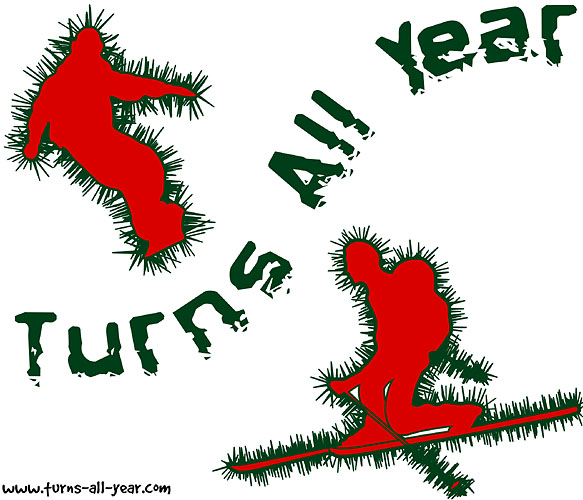
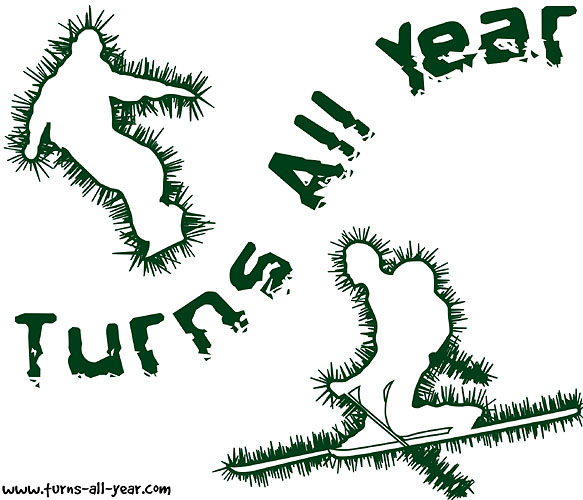
Working on designs has been good for me, as I have a project for which I will need to use vector graphics and this gives me a chance to become more experienced with Illustrator. I made a couple more variations on the same graphic posted above (these not in zazzle view):
Replied by Charles on topic Re: Designing TAY t-shirt graphics
Hi Charles - Those shirts look great. I like the colors a lot. But, is there an easy way that lower skier could be modified so he/she is making a parallel turn?
Jeff, I tried to straighten out the legs on the tele skier but he refused (kept insisting that "it's just not as much fun that way"). But seriously, if anyone has a good outline or silhoutte of someone skiing parallel, or even better an already made vector drawing (eg Illustrator), I'd be happy to work on a design that incorporates the "third leg" of backcountry sliders.
Jack, very nice design!
One of the great things about using a service like zazzle is that we can have a ton of different designs from which people can choose. If we went the traditional silk screened route, we'd probably have to settle on just one design.
Working on designs has been good for me, as I have a project for which I will need to use vector graphics and this gives me a chance to become more experienced with Illustrator. I made a couple more variations on the same graphic posted above (these not in zazzle view):
Please Log in or Create an account to join the conversation.